πŸ₯ RCM Service 05

AR Follow-Up That Shrinks Aging Buckets and Speeds Collections

Unpaid claims do not resolve themselves. DigiHibe's AR follow-up team works every open claim on a set cadence, contacts payers, corrects what needs correcting and escalates what is stuck, so money moves out of the 60, 90 and 120 day buckets.

Work queues are organized by age, balance and risk, so the claims most likely to be lost get attention first.

All RCM Services
ACTIVE
πŸ“ž
AR Follow-Up
Follow-up cycle on open claims
15-Day
QueuesBy age and risk
Key KPIDays in A/R
πŸ‘“ OptometryπŸ‘οΈ Ophthalmology🩺 PhysicianπŸ₯ Hospital
What You Get

What We Handle: AR Follow-Up

πŸ—‚οΈ

Aging-based work queues

Open claims sorted into 0-30, 31-60, 61-90 and 90+ day buckets and worked in priority order.

☎️

Payer contact

Claim status checks by portal or phone, with the call reference and next step recorded.

🧯

Stuck claim escalation

Claims with no payer response or repeated delays are escalated through the right channel.

πŸ”„

Corrections and resubmission

Where a claim needs correction, it is fixed and resubmitted rather than left waiting.

πŸ’΅

Credit balance review

Overpayments and credit balances are identified and handled so your books stay clean.

πŸ“Š

Aging reports

Weekly and monthly reports show AR by age, payer and balance, with movement from the last period.

How It Works

Our Process, Step by Step

01

Segment AR

Open claims are grouped by age, payer and balance.

02

Prioritize

High-value and high-risk claims are moved to the front of the queue.

03

Follow up

Specialists contact payers, learn the status and take the next action.

04

Resolve

Claims are corrected, appealed or escalated until they are paid or closed.

05

Report

Aging and days in A/R are reported so progress is easy to see.

The Big Picture

Where AR Follow-Up Fits in the Revenue Cycle

Every DigiHibe RCM service connects, from verification to final payment, so problems found in one step are fixed at the source.
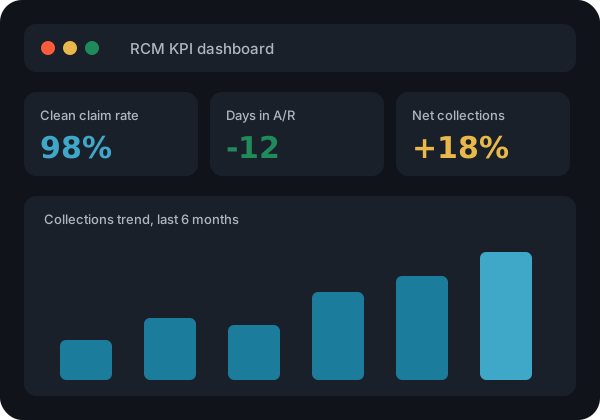
RCM KPI dashboard with days in AR
Clean claim rate
KPI we report
Days in A/R
KPI we report
Denial rate
KPI we report
Net collections
KPI we report
FAQs

AR Follow-Up: Frequently Asked Questions

What does days in A/R mean?

Days in A/R estimates how long, on average, it takes to collect payment after a service is billed. Lower is better.

How often do you follow up on a claim?

We follow up on a defined cadence, with open claims reviewed about every 15 days until resolved.

Can you clean up old, aged AR?

Yes. We can start with an AR cleanup project on older buckets alongside ongoing follow-up.

Will we see what you worked?

Yes. Notes are recorded in your system and summarized in the weekly and monthly reports.

Related

Explore More RCM Services

πŸ›‘οΈ

Denial Management

DigiHibe's denial management service finds root causes, files appeals and builds prevention back into your front end,...

Learn more β†’
πŸ’³

Payment Posting

Accurate ERA and EOB payment posting, adjustments and reconciliation with daily visibility. DigiHibe keeps your...

Learn more β†’
πŸ₯

Hospital Billing

Hospital billing services covering institutional claims, charge capture support, payment posting, denial management...

Learn more β†’
🀝

Partner With Us: Engagement Model

Partner with DigiHibe as your extended RCM workforce. Discovery, onboarding, pilot batch, full delivery and KPI...

Learn more β†’
Get Started

Share a Sample. We Will Show You What We Can Recover.

Free RCM audit and pilot batch available. Talk to our team about your claims, AR and EHR.

Contact Us
πŸ₯ Free Consultation

Schedule Your RCM Consultation

Ready to discover how DigiHibe's Revenue Cycle Management solution can take your practice to the next level? Get started with a free RCM consultation.